
Making things
Games for little hands
Four Mac games that began with a two-year-old, a keyboard, and a simple question—what if every key did something delightful?
My two-year-old daughter likes to put both hands on my laptop keyboard. She isn't trying to type. She's exploring: pressing something and seeing what happens.
That became the starting point for a game. What if every key welcomed an animal onto the screen, with a sound to match? No instructions to remember, no wrong button, and no score to chase. Just a small action and a response she could enjoy.
It started in a meadow
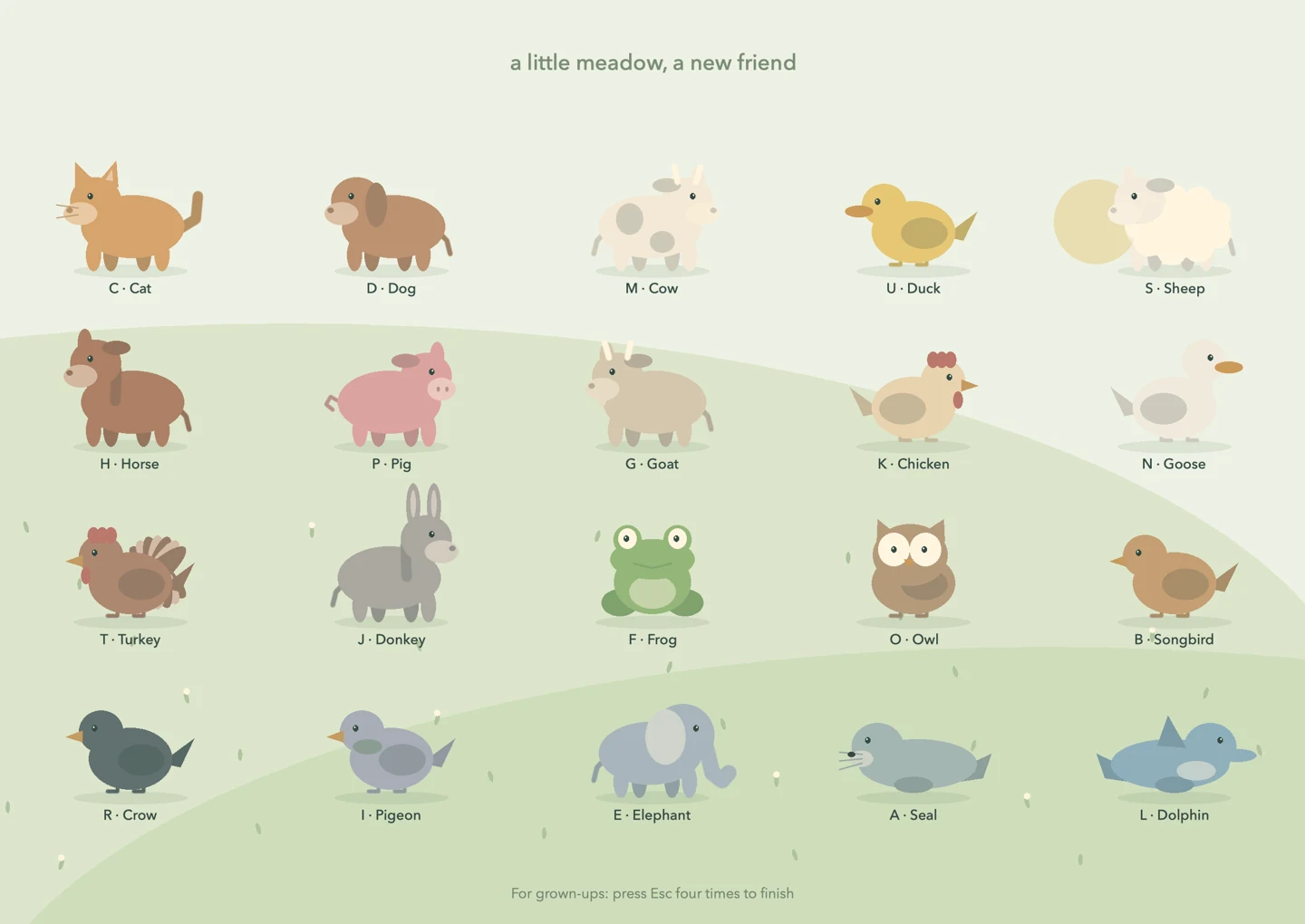
Little Meadow was the first game. A key brings in an animal. Another key brings another friend. The colors are soft, the movement is gentle, and the sounds belong to the animals on screen.
The first versions taught me that a simple idea still has plenty of details. Audio needed to be clear and comfortable. Pressing a handful of keys at once couldn't turn into an endless queue of sounds. The screen needed to feel alive without becoming overwhelming.
Then the world got bigger
Little Ocean followed: fish, whales, dolphins, jellyfish, submarines, and boats. Movement matters here. A fish should swim through the water; a jellyfish should pulse. Creatures need to make room for one another.
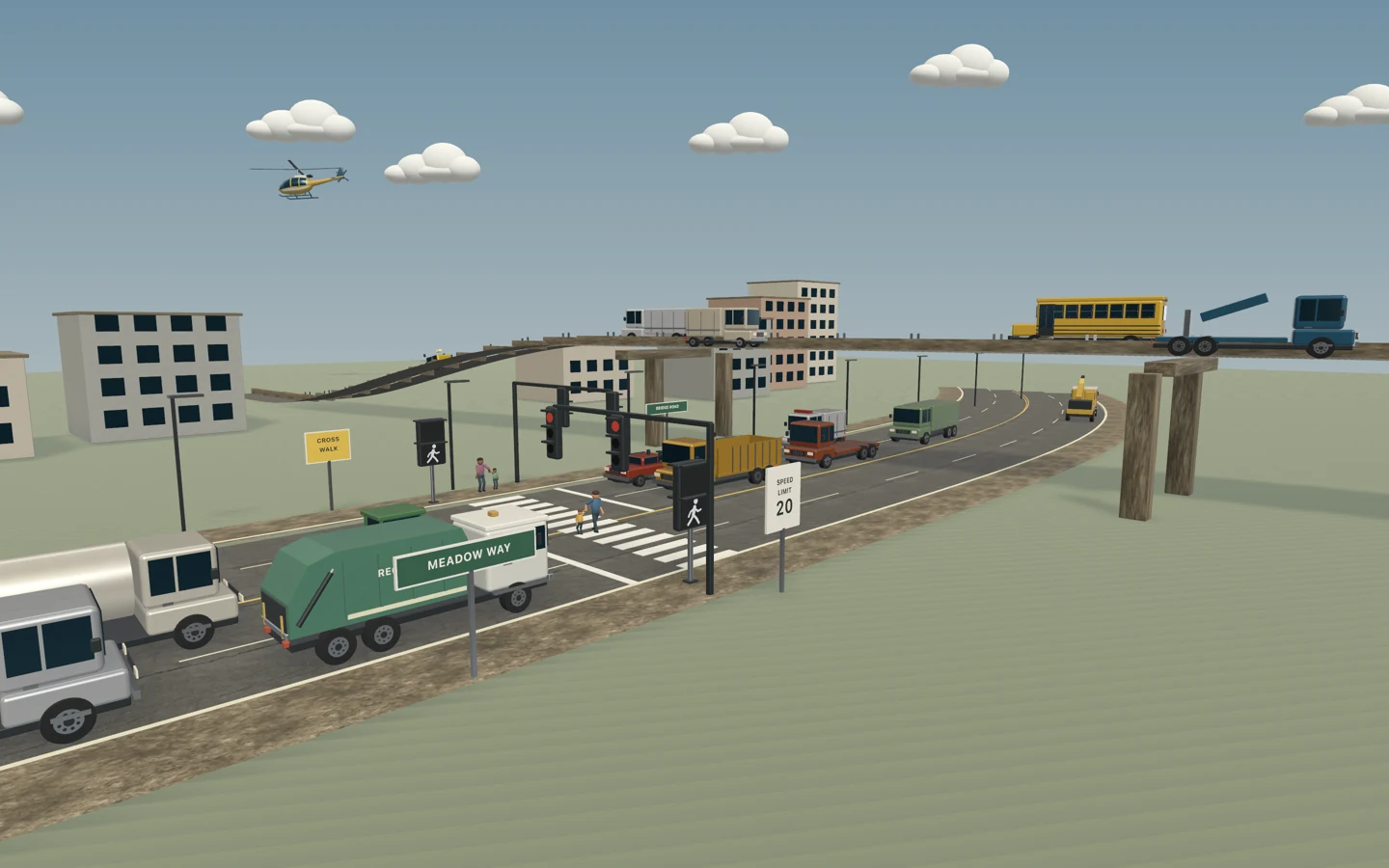
Little Trucks brought the view down to the sidewalk. Cars pass in both directions, trucks use an elevated bridge, and planes and helicopters travel overhead. Parents and children hold hands at the crossing. Cars stop, the white walking person lights up, and the family walks across together.
Little Rockets opened the sky: launch platforms, rockets, shuttles, floating astronauts, satellites, and planets on elliptical paths. Each new world grew from the same idea—give curious hands something interesting to discover.
The keyboard is part of the design
A toddler presses combinations that an adult would never think to try. On a Mac, those combinations can switch applications, change the volume, or open system controls. Keeping play inside the game became as much a part of the work as drawing animals or moving trucks.
The games now share a protected-play foundation. It handles the keyboard, focus, and the return to the parent screen. Four separate presses of Escape end a visit. Keeping that behavior in one place means that a fix can help every game.
It also taught me to be precise about the limits. These are games for supervised play, not a guarantee against every hardware button or macOS behavior. A grown-up still needs to stay nearby.
Small, quiet, and made to be played together
There are no accounts, ads, or in-game purchases. The current games work offline, with their artwork and sounds included. They are built to keep the number of moving objects and overlapping sounds bounded, even when lots of keys arrive together.
They are still being prepared for a public Mac release. That includes signing, notarization, and testing the exact builds other families will receive. The games site has a preview of all four worlds; downloads will appear there when they are ready.
For now, this is the beginning: a meadow, an ocean, a street, and a sky, made for the pleasure of pressing a key and seeing what happens.